
2.5 KiB
CAI CP
v0.9
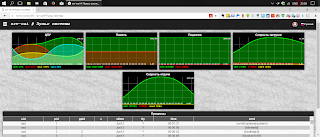
A simple control panel for home server

Requirements
Web server
PHP7 (php7-json, php7-posix)
gawk (GNU awk)
grep
hddtemp
lsb-release
sed
smartmontools (smartctl)
sysstat (iostat)
Installation
Step 1: Get CP
git clone --depth 1 https://github.com/CAI79/CAI-CP.git
Step 2: Set rights
Following commands set correct access rights to all CAI CP files (in this example webserver runs with wwwrun:www priveledges):
$ chown -R wwwrun:www /path/to/base/dir
$ chmod 440 $(find /path/to/base/dir -type f)
$ chmod 550 $(find /path/to/base/dir -type d)
$ chmod 550 $(find /path/to/base/dir -type f | grep .sh$)
$ chmod 640 /path/to/base/dir/system/json/settings.json
$ chmod 640 /path/to/base/dir/system/apps/apps.json
Prevent scripts to be available from browser. Add following lines to apache's .conf file:
# Add this to <Directory></Directory> block
<FilesMatch "\.(sh)$">
  Require all denied
</FilesMatch>
Some functions requires su priveledges, add webserver user to sudoers. Run visudo and add following line to "User privilege specification" (in this example webserver runs with wwwrun:www priveledges):
## For HDD S.M.A.R.T. monitoring
wwwrun ALL=NOPASSWD: /usr/sbin/smartctl
## For HDD temperature monitoring
wwwrun ALL=NOPASSWD: /usr/sbin/hddtemp
## For SMB monitoring
wwwrun ALL=NOPASSWD: /usr/bin/smbstatus
## For shutdown/reboot functionality (You can skip this step and turn off shutdown/reboot functionality in settings)
wwwrun ALL=NOPASSWD: /sbin/shutdown
Step 3: Initial config
In system\settings.php set FILE_OWNER and FILE_GROUP constants to owner and group of your web server. Be careful with SHUTDOWN_ENABLED and REBOOT_ENABLED options. CAI CP does not provide any security or authentication features and be protected via a security measure of your choice. Help system contains information about how to enable basic authentication.